A yellow card that unfolds into a Creative License when you click it, with doodles bursting out from behind.
click or tap the card, and again to fold it back
It works the same on phones: tap the card to unfold it, and tap again to fold it back. With the keyboard, Tab to the card and press Enter or Space. If your device is set to reduce motion, the card opens straight away, without the bounce.
The idea
On my portfolio, this card is the door to the playful side of my work. It rests like a card tossed on a desk, and one click unfolds it into a Creative License while doodles and desk objects burst out from behind it.
Words you'll see 14
- component
- A reusable piece of interface, like a component in Figma. PlayCard is one, and so are LicenseField and Stamp.
- props
- The settings you hand to a component, like color or bursts. Change them and the card changes.
- state (useState)
- Something a component remembers. Here it is one true/false: is the card open?
- useEffect
- Code that runs after the component appears, to connect it to something outside it. Here it checks whether your device asks for less motion.
- CSS
- The language that styles things: colour, size, position, movement.
- transform
- Moves, rotates or scales something without pushing anything else around.
- transition
- Makes a change happen smoothly over time instead of all at once.
- cubic-bezier
- The shape of that smoothness: how a movement speeds up and slows down. Like easing in Figma prototypes.
- z-index
- Which thing sits in front when two overlap. Higher numbers are in front, like layer order in Figma.
- SVG
- A picture written as code: shapes, lines and points. It stays sharp at any size.
- mix-blend-mode
- How a layer mixes with what is under it, like blend modes in Figma. Multiply darkens.
- mask-image
- A stencil: only the parts of a layer where the mask is filled in show through.
- flexbox
- A way to lay things out in a row or column, like auto layout in Figma.
- pointer-events
- Whether something can be clicked or hovered. "none" lets the mouse pass straight through.
How it works
A quick map first. A component is a reusable piece of interface, like a component in Figma. Props are the settings and content you pass into it, like a title or a colour. The files end in .tsx: interface code written in TypeScript, which is JavaScript that also checks what kind of value each setting expects.
Point at a step, tap it or Tab to it, to light up its lines in the code.
- 01
The unfold
Click and the tilted card straightens, lifts and turns into a licence, in one springy motion.
- One switch,
open, decides everything: true or false (useState). A click turns it on, and a second click turns it off and folds the card back. - Closed, the card sits turned -6° and 8% smaller (
scale(0.92)), like a card tossed on a desk (transform). - Open, it straightens to 0°, grows to full size and lifts 6px, and its shadow grows deeper to match (box-shadow).
- The change between the two looks plays over 0.6 seconds (transition). The bouncy curve (cubic-bezier) has a 1.56 in it, which overshoots, so the card lands with a little bounce.
- The big "PLAY ↗" word is swapped for the licence the moment it opens. Whatever you pass in as
licenseis what shows.
PlayCard.tsxconst [open, setOpen] = useState(defaultOpen) // springy: the 1.56 overshoots the end, then settles back const spring = reduceMotion ? '0.01s linear' : '0.6s cubic-bezier(0.34, 1.56, 0.64, 1)' function handleClick() { if (open) { setOpen(false) // a second click folds it back return } setOpen(true) // let the unfold play before anything else happens (the portfolio changes page here) if (onOpen) setTimeout(onOpen, openDelay) } // … // one flag, two looks: resting tilted and a bit smaller, or straight, full size and lifted transform: open ? 'translateY(-6px) rotate(0deg) scale(1)' : 'translateY(0) rotate(-6deg) scale(0.92)', boxShadow: open ? '0 28px 56px rgba(0,0,0,0.3)' : '0 14px 30px rgba(0,0,0,0.22)', transition: `transform ${spring}, box-shadow ${spring}`, // … {/* the label swaps for the licence the moment it opens */} {open ? license : (This is part of the file. Copy the complete file from the Code tab.
- One switch,
- 02
The burst
Doodles and desk objects spill out from behind the card, one after another. The same
openswitch from 01 sends them out.- While the card is closed, every piece waits at its centre, hidden behind it, shrunk to nothing (
scale(0)) and see-through (opacity). - When it opens, each piece flies to its own spot:
xandyare how far it lands from the centre, in pixels, androtateis its spin (translate). - Each piece leaves 0.05 seconds after the one before (a transition delay), so they spill out instead of popping all at once.
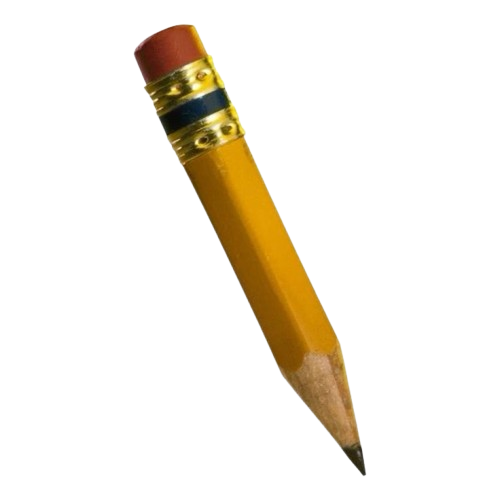
zdecides what sits in front (z-index). The card is 20: a piece below 20 peeks out from behind it, and above 20 lands on top, like the pencil.- A piece is either a small doodle drawn in code (SVG), like a star or heart, or a picture, if you give it
src.
PlayCard.tsx// closed: every piece waits at the centre of the card, shrunk to nothing transform: open ? `translate(${b.x}px, ${b.y}px) rotate(${b.rotate}deg) scale(1)` : 'translate(-50%, -50%) scale(0)', opacity: open ? 1 : 0, // open: each one leaves 0.05s after the one before transition: `all ${spring} ${i * 0.05}s`, zIndex: b.z ?? 10, // … {b.src ? <img src={b.src} alt="" style={{ width: b.size, height: b.size, objectFit: 'contain', display: 'block' }} /> : <Shape type={b.shape ?? 'star'} size={b.size} color={b.color ?? ink} />}This is part of the file. Copy the complete file from the Code tab.
- While the card is closed, every piece waits at its centre, hidden behind it, shrunk to nothing (
- 03
Brown paper grain
The grain is brown, not grey, so the yellow looks printed rather than dirty. It is made in code, so there is no image file.
- A layer of solid brown is laid over the whole card (
inset: 0stretches it to every edge). - The brown is blended into the yellow, darkening it like ink soaking into paper (mix-blend-mode: multiply).
- Random noise (SVG noise filter, feTurbulence) is used as a stencil (mask-image), so the brown only shows through in specks.
- Clicks pass straight through the grain to the card (pointer-events: none), so it never gets in the way.
You don't need to read the long line starting
url("data:image/svg+xml. It is a tiny noise image written as text. To make the grain finer or coarser, changebaseFrequency='0.9'inside it in the Edit tab.PlayCard.tsx// Paper grain: SVG noise used as a mask, so a colour only shows through in specks. const noiseMask = "url(\"data:image/svg+xml,%3Csvg xmlns='http://www.w3.org/2000/svg'%3E … %3C/svg%3E\")" // … {/* GRAIN: brown, multiplied onto the yellow, visible only through the noise mask */} <div style={{ position: 'absolute', inset: 0, zIndex: 21, pointerEvents: 'none', // clicks still reach the card opacity: 0.2, backgroundColor: ink, mixBlendMode: 'multiply', WebkitMaskImage: noiseMask, maskImage: noiseMask, WebkitMaskSize: '180px', maskSize: '180px', }} />This is part of the file. Copy the complete file from the Code tab.
- A layer of solid brown is laid over the whole card (
- 04
The licence details
The licence reads like a real form: labels, dotted lines, handwriting and a rubber stamp. Each is a small component you can reuse.
- Each row is a small serif label, then a dotted line that stretches to fill the rest of the row (
flex: 1, part of flexbox). - The value sits on the line in handwriting, turned -2°, as if it was filled in by hand.
- The stamp is a circle with an outline (border-radius: 50%), turned -12° and pushed 10px past the corner, so it runs off the edge of the card.
PlayCard.tsx// One form row: a serif label, a dotted line that fills the rest, and a handwritten value on it. export function LicenseField({ label, value, ink = '#6B3F2A', pen = '#E8186D' }: { label: string; value: string; ink?: string; pen?: string }) { return ( <div style={{ display: 'flex', alignItems: 'flex-end', gap: 8, marginBottom: 8 }}> <span style={{ fontFamily: 'Georgia, "Times New Roman", serif', fontSize: 12, color: ink, whiteSpace: 'nowrap', }}> {label} </span> <span style={{ flex: 1, // the dotted line stretches to fill the row borderBottom: `2px dotted ${ink}66`, }}> <span style={{ fontFamily: 'var(--font-dokdo), cursive', fontSize: 16, color: pen, display: 'inline-block', transform: 'rotate(-2deg)', // filled in by hand, never quite straight lineHeight: 1, }}> {value} </span> </span> </div> ) } // A rubber stamp: a rotated ring of small caps that bleeds off the card's corner. export function Stamp({ children, pen = '#E8186D' }: { children: ReactNode; pen?: string }) { return ( <div style={{ position: 'absolute', bottom: -10, right: -10, width: 76, height: 76, borderRadius: '50%', border: `2px solid ${pen}`, transform: 'rotate(-12deg)', opacity: 0.85, color: pen, display: 'flex', alignItems: 'center', justifyContent: 'center', textAlign: 'center', padding: 8, boxSizing: 'border-box', fontFamily: 'var(--font-space-grotesk), sans-serif', fontSize: 8, fontWeight: 700, lineHeight: 1.25, letterSpacing: '0.05em', textTransform: 'uppercase', }}> {children} </div> ) }This is part of the file. Copy the complete file from the Code tab.
- Each row is a small serif label, then a dotted line that stretches to fill the rest of the row (
Use it
The buttons above copy the complete files. The code in How it works is only excerpts, so copy from here.
- You need Node.js installed. In a terminal, run
npx create-next-app@latest my-play-card --yesto make a new Next.js project, thencd my-play-card. - Inside the
appfolder, make a folder calledcomponents. Copy the complete file with the button above and save it asapp/components/PlayCard.tsx. - Open
app/page.tsx, delete everything in it, and paste the example below. - Run
npm run devand open localhost:3000. Click the card. - Change these first: the words on the licence (each
LicenseField), the card colour (color) and the doodles inbursts. To use your own pictures instead of doodles, put them in thepublicfolder and give a burstsrc: '/your-picture.png'.
import PlayCard, { LicenseField, Stamp } from './components/PlayCard'

export default function Page() {
  return (
    <main style={{ background: '#3336A3', minHeight: '100vh', display: 'grid', placeItems: 'center' }}>
      <PlayCard
        color="#FFE555" // the card colour
        license={
          <div style={{ position: 'relative', height: '100%' }}>
            <LicenseField label="Issued to" value="Your name" />
            <LicenseField label="Specialty" value="Making things" />
            <LicenseField label="Valid" value="forever" />
            <Stamp>Certified<br />Creative ✦</Stamp>
          </div>
        }
        bursts={[
          { shape: 'star', x: -170, y: -190, size: 28, rotate: 15, color: '#FFE555' },
          { shape: 'heart', x: 220, y: -60, size: 36, rotate: -10, color: '#E8186D' },
          { shape: 'squiggle', x: -250, y: -50, size: 30, rotate: 5, color: '#e4ff5d' },
          { shape: 'circle', x: 40, y: -200, size: 16, rotate: 0, color: '#E8186D' },
        ]}
      />
    </main>
  )
}
What you can change 22
<PlayCard /> 8
licenserequired- What the card shows once it opens. Build it from
LicenseFieldrows and aStamp, or put anything you like in it. burstsoptional- The pieces that fly out when it opens. Each one's parts are listed below. Leave it out for no burst.
labeloptional- The big word on the closed card. Default
PLAY ↗. coloroptional- The card colour. Default
#FFE555. inkoptional- The colour of the label, the grain, and doodles without their own colour. Default
#6B3F2A. defaultOpenoptional- Set to
trueto start already unfolded, like the card on the home page. onOpenoptional- Something to do after it opens, like going to another page (the portfolio does this). It's a function, so it only works inside a file that starts with
'use client'. openDelayoptional- How long to wait before
onOpenruns, in milliseconds, so the unfold can play first. Default620.
Inside each burst 8
xrequired- How far it lands left (minus) or right (plus) of the card's centre, in pixels.
yrequired- How far it lands above (minus) or below (plus) the centre, in pixels.
rotaterequired- Its spin when it lands, in degrees.
sizerequired- Its width, in pixels.
shapeoptionalstar,heart,circleorsquiggle. Defaultstar.coloroptional- The doodle's colour. Default is the card's
ink. srcoptional- A picture to use instead of a doodle, like
'/jam.png'from thepublicfolder. zoptional- Front or back: below
20it peeks out from behind the card, above20it lands on top. Default10.
<LicenseField /> 4
labelrequired- The small serif label, like
Issued to. valuerequired- The handwritten answer on the dotted line.
inkoptional- The label and dotted line colour. Default
#6B3F2A. penoptional- The handwriting colour. Default
#E8186D.
<Stamp /> 2
childrenoptional- The words inside the stamp, written between
<Stamp>and</Stamp>. Use<br />for a new line. penoptional- The stamp colour. Default
#E8186D.
Dependencies 4
- React 18+useState and useEffect. Nothing else to install.
- No animation libraryThe unfold and the burst are CSS transform + transition, switched by a single true/false.
- Dokdo + Space GroteskOptional fonts (Dokdo for the handwriting, Space Grotesk for the stamp), read from --font-dokdo and --font-space-grotesk. Falls back to cursive and sans-serif.
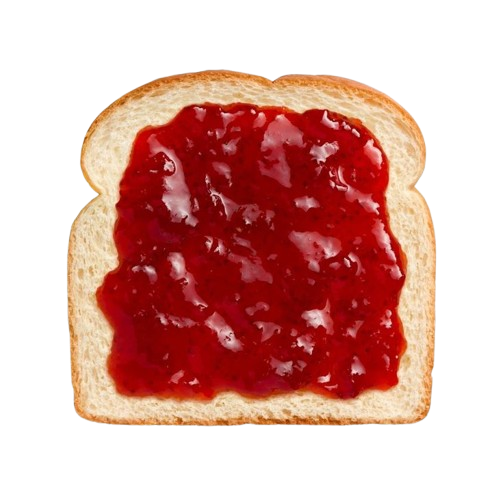
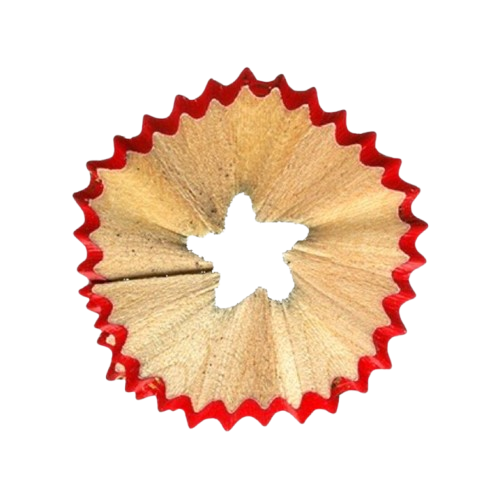
- ImagesOptional. The doodles are drawn in code (SVG); the jam, pencil and sharpener here are PNG pictures.
Things to learn next 7
- React: Your first component ↗What a component is, and how to write one.
- React: State, a component's memory ↗How useState remembers things, like whether the card is open.
- React: Passing JSX as children ↗How the licence and the stamp words get passed into a component.
- MDN: Using CSS transforms ↗Moving, rotating and scaling things.
- MDN: Using CSS transitions ↗Making changes smooth, including delays like the burst.
- cubic-bezier.com ↗Drag an easing curve around and watch it move. Try making the unfold bouncier.
- MDN: mix-blend-mode ↗Every blend mode with examples, the same ones as in Figma.